|
There are currently no product reviews.
 ;
Fast delivery and good quality copy. To be recommended
;
Excellent product, very clear print. Detailed circuit and assembly diagrams - this enabled me to repair my CD player with confidence. I highly recommend this site.
;
Fast access, 100% correct and complete service manual
;
just what i was seeking .had a password issue but the review allowed me to circumvent and download was great
;
Great manual, great price. Has a few of the basic operating instructions that most service manuals leave out. Complete instructions for disassembling board by board, safety precautions, schematics, complete parts list.
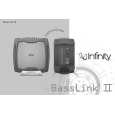
Powered Subwoofer
Basslink II
BASSLINK II DISASSEMBLY
1) Remove �Amplifier Dock� cover; (8) Phillips screws. 2) Remove (10) Phillips screws holding main heatsink/amplifier to enclosure, tapping the heatsink with a rubber mallet may be necessary to loosen it. Pull amplifier from enclosure 3) Remove single 12 pin Molex connector M300 and both pairs of FASTON terminals from the amplifier PCB; do not mix up the two pairs of red/black wires (speaker and A/B). Label if necessary. 4) With the screw cavities facing upwards on the enclosure, remove the (12) Phillips screws holding the enclosure together. 5) Using the opening of the �Amplifier Dock� as leverage, separate the enclosure halves; to completely separate the wiring, remove the 8 pin Molex connector M200 from the Jack/Limiter PCB. 6) If the Gain PCB (Gain/Xover/Base pots) needs to be accessed, there is an additional screw holding the plastic cover on, besides the two exposed ones, that must be removed and is visible after removing the 10" passive radiator (8 Phillips screws) 7) The Jack PCB is not serviceable, as it is attached to the enclosure with adhesive. 8) Reassembly: follow in reverse order, and be sure to not mix the red/black wire pair (speaker and A/B) on the MAIN PCB when you connect them to the FASTON terminals.
9
|